Best Antidetect Browsers in 2026: 6 Tools We Compared
Antidetect browsers in 2026 are no longer just tools for changing browser fingerprints. The stronger options now combine profile isolation, proxy management, automation, team collaboration, and in some cases cloud phone or mobile workflow support.
In this comparison, we looked at FlashID, Multilogin, AdsPower, GoLogin, Dolphin Anty, and Octo Browser to see which types of teams each tool is best suited for. Instead of comparing only fingerprint settings, we focused on how these tools perform in real multi-account workflows.
- Quick Answer
- What Is an Antidetect Browser?
- How We Compared These Solutions
- FlashID
- Multilogin
- AdsPower
- GoLogin
- Dolphin Anty
- Octo Browser
- Best Antidetect Browsers in 2026: Comparison Table
- Common Mistakes When Choosing a Solution
- Conclusion
- FAQ
Quick Answer
● Antidetect browsers help create separate profiles environments for different accounts. They matter because websites may check not only IP addresses, but also cookies, browser fingerprints, WebRTC, WebGL, timezone, language, and other device or session signals.
● The best browser depends on workflow, not just on fingerprint customization. In this comparison, we looked at profile stability, proxy integration, team collaboration, automation support, mobile workflow relevance, ease of use, and scalability.
● FlashID stands out as one of the strongest all-in-one options for teams that want profiles, built-in proxies, repeatable setup, and support for broader workflows without turning daily operations into a technical project. Other tools are stronger in more specific areas, such as advanced automation, batch operations, or high-control fingerprint management.
● Stable multi-account work is usually about consistency, not constant randomization. Choosing only by price, ignoring proxy quality, changing fingerprints too often, or expecting any browser to eliminate all account risk are common mistakes teams should avoid.
What Is an Antidetect Browser?
An antidetect browser is a browser management tool that creates separate browsing environments for different accounts. Each profile can have its own fingerprint, cookies, cache, proxy, timezone, language, screen size, and other signals.
This matters because websites do not only look at your IP address. They may also look at your device fingerprint, session history, WebRTC status, Canvas, WebGL, fonts, timezone, language, and other signals. If many accounts share the same environment, they may look connected.
This toolsare commonly used by e-commerce teams, social-media managers, affiliate teams, ad teams, QA testers, web researchers, and privacy-conscious users. They should be used responsibly and in line with platform rules, local laws, and ethical business practices.
How We Compared These Solutions
When we reviewed these six tools, we did not just look at whether they can change a browser fingerprint. In real multi-account work, the more important question iswhether the whole environment stays stable over time.
We looked at seven practical factors:
- Fingerprint control — how well the tool handles user-agent, Canvas, WebGL, fonts, timezone, language, screen size, WebRTC, and other fingerprint signals.
- Proxy integration — whether profiles can be paired with stable proxies and whether the proxy setup is simple enough for daily use.
- Profile stability — whether the same profile can keep a consistent environment instead of changing too many signals too often.
- Team collaboration — whether teams can manage roles, permissions, profile sharing, and workspace security.
- Automation supwe did not only look at whether they can change a browser fingerprint — supports an API, RPA, Selenium, Puppeteer, Playwright, or other automation workflows.
- Mobile workflow support — whether the browser can support mobile-first operations or cloud phone environments.
- Ease of use and scalability — whether the tool is practical for beginners, small teams, agencies, and larger operations.
FlashID
FlashID stands out as a cost-effective antidetect browser designed to make daily multi-account operations easier to run. Its main advantages include affordable profile management, built-in proxy purchasing, custom proxy support, and repeatable workflows. By bringing these capabilities into one platform, FlashID reduces the need for teams to assemble and manage several separate tools.
1. Affordable Solution with Flexible Profile Configuration
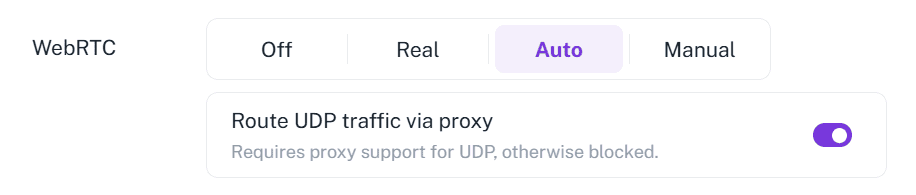
Although FlashID currently focuses on providing a low-cost solution, it still offers flexible profile configuration for users who need more control over their browser environments. Users can manage WebRTC and WebGL settings instead of relying only on automatic randomization. WebGL can also be kept real, randomized, or manually adjusted through values such as Vendor and Renderer. This makes profiles more consistent and easier to manage over time.
2. Built-In and Custom Proxy Support
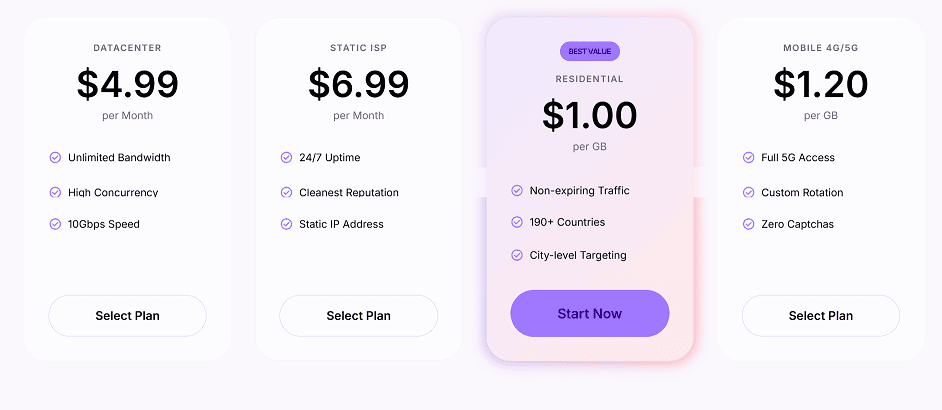
FlashID supports both custom proxies and built-in proxy options, including residential and static proxy products. For teams that do not want to buy proxies elsewhere before creating profiles, this makes the setup process faster and less fragmented.
3. Faster Repeated Workflows
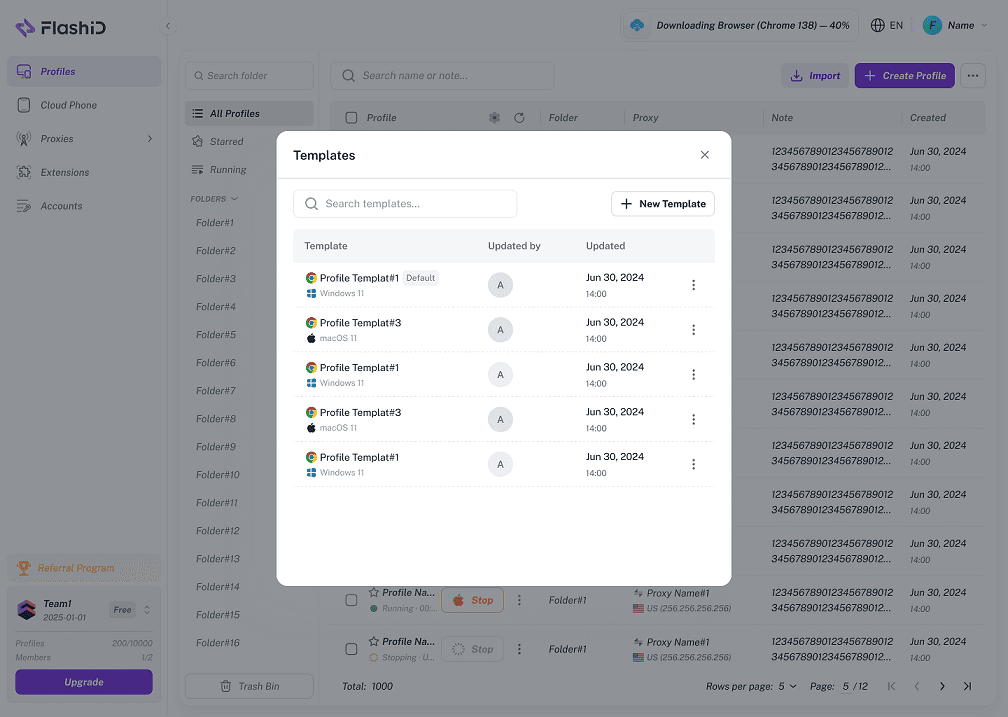
FlashID also helps reduce repetitive work through Window Sync and Profile Templates. Window Sync can repeat actions across multiple windows or cloud phone instances, while Profile Templates let teams save and reuse profile settings. These features are especially useful when managing many accounts every day.
Multilogin
Multilogin is a well-known tool for users who need separate browser profiles and cloud phone environments. It gives teams detailed control over profile identity, but the setup is more suitable for people who already understand proxies, fingerprints, and account separation.
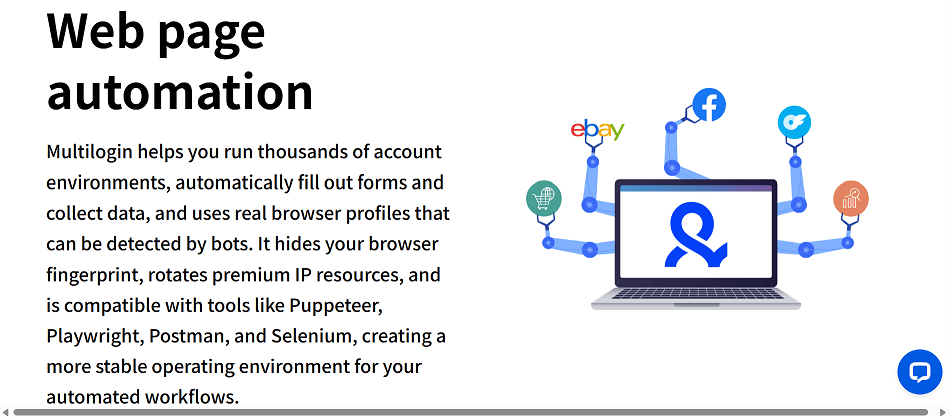
It also supports automation-related workflows, including tools such as Selenium, Playwright, Puppeteer, and Postman. For technical teams, this can reduce some repeated manual work, although it may still require setup experience to use well.
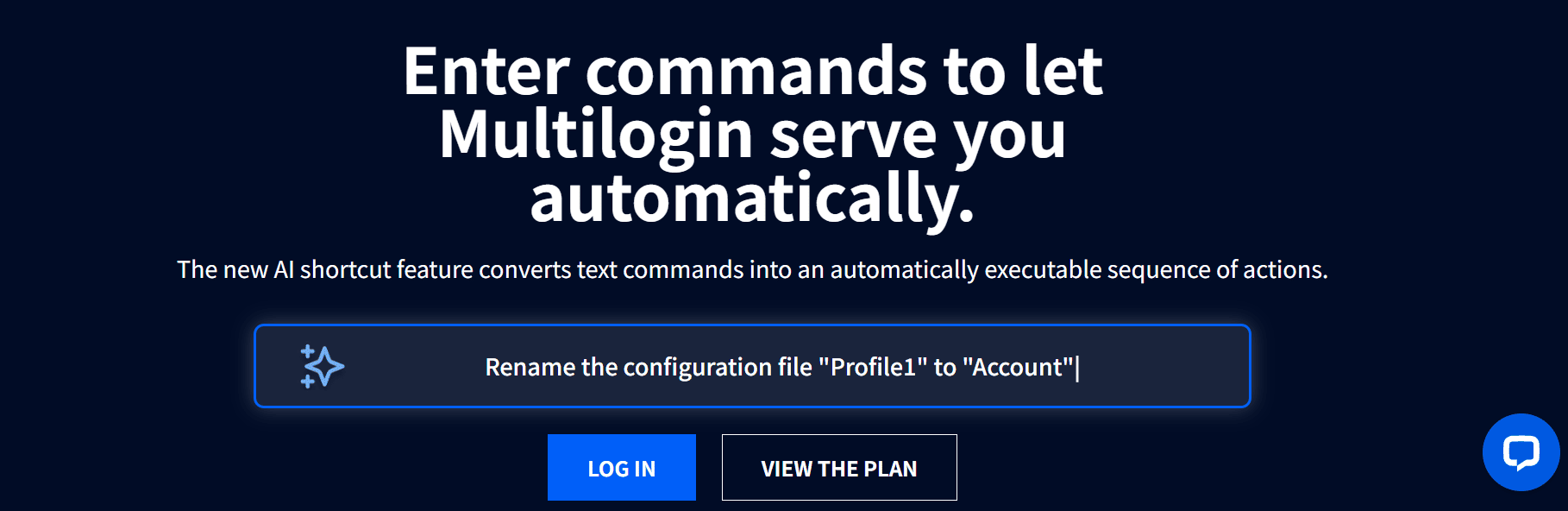
Multilogin has also added AI Quick Actions, which lets users type simple instructions for tasks such as opening, renaming, or moving profiles, and adjusting some IP-related settings. This may make basic automation easier to access, but it is still more useful for teams that already have a clear multi-account workflow.
AdsPower
AdsPower is often used by teams that manage many accounts for e-commerce, social media, affiliate marketing, and digital marketing. Its main value is batch profile management: users can create, edit, group, and manage multiple profiles without setting up every account one by one.
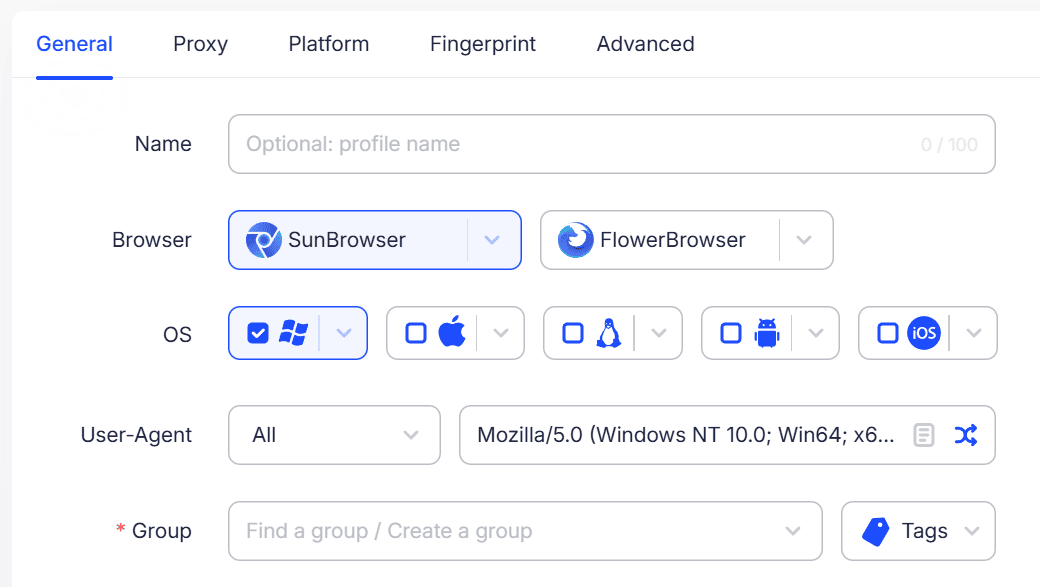
It also offers Chrome and Firefox-based options, so users can choose the browser kernel that better fits their usual workflow. Adspower includes common account security settings such as login alerts, 2FA, permission management, and operation logs, which can help teams keep account work more organized. Overall, it is a workable choice for high-volume account management, but it may feel more tool-heavy than teams that only want a simple setup.
GoLogin
GoLogin is a relatively simple approach for users who want basic profile separation without a complicated setup. Users can create and manage profiles from one dashboard, using folders, notes, status labels, and bulk actions to keep accounts organized.
It is also available on Windows, macOS, Linux, and Android, with access through a Web App as well, so it works for users who need access across different devices. Its Web App and cloud-related features add some flexibility, though the product still feels more beginner-oriented than deeply workflow-focused.
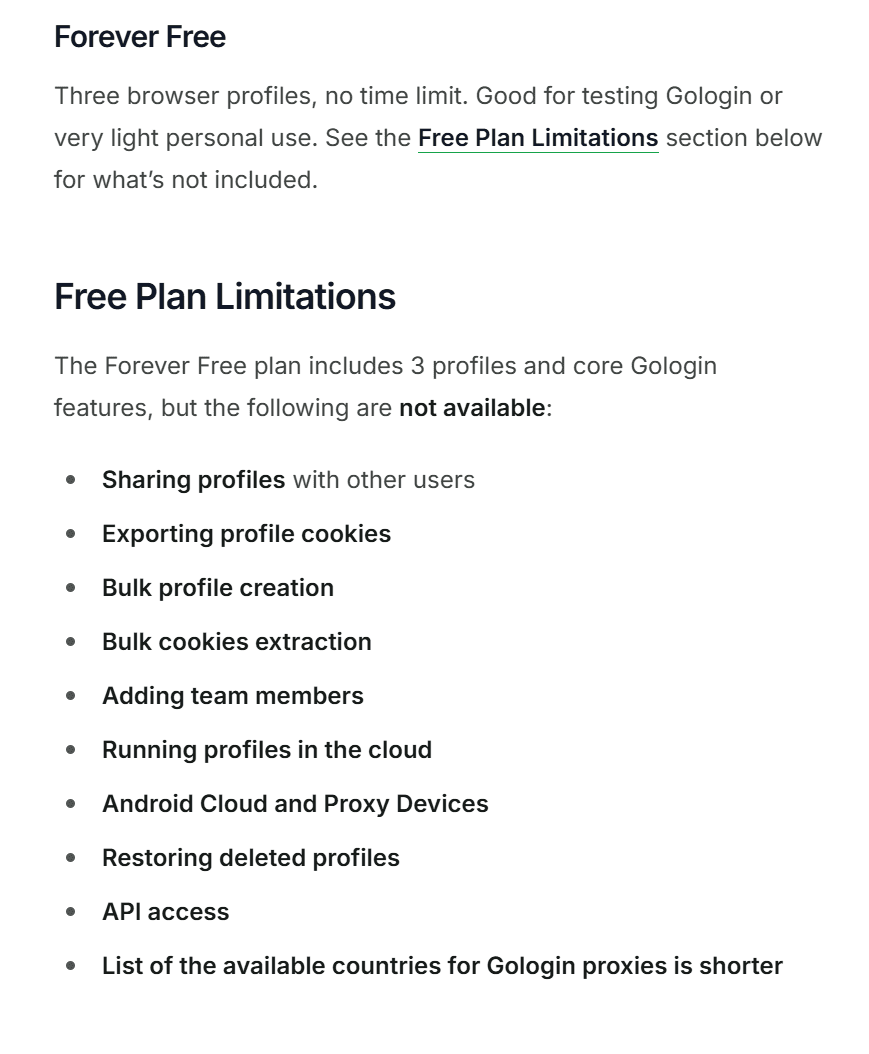
GoLogin is also worth mentioning for its Forever Free plan. It includes 3 profiles, 5 free proxies, Android access, and support for third-party proxies. This makes it useful for users who want to test antidetect browsing first, but it is still more suitable for light use than serious team operations.
Dolphin Anty
Dolphin Anty is often used in affiliate marketing, traffic campaigns, and social media account work. It helps users create and organize profiles with folders, tags, proxy settings, cookies, and profile types for platforms such as Facebook, Google, TikTok, and crypto-related workflows.
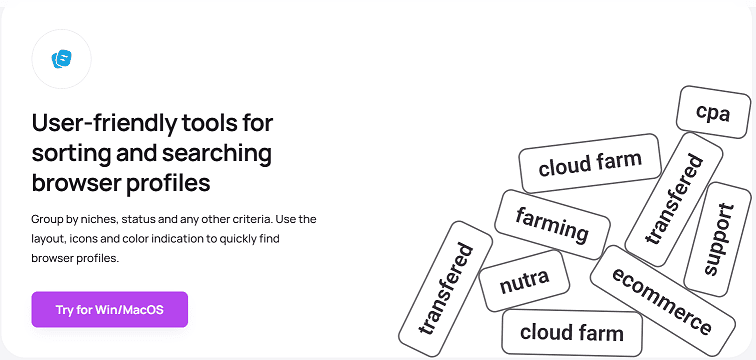
It also supports common bulk actions, such as starting profiles, changing proxies, exporting cookies, and moving profiles into folders. These features can be useful for teams handling many accounts, but the product still feels more focused on marketing-style workflows than general multi-account management.
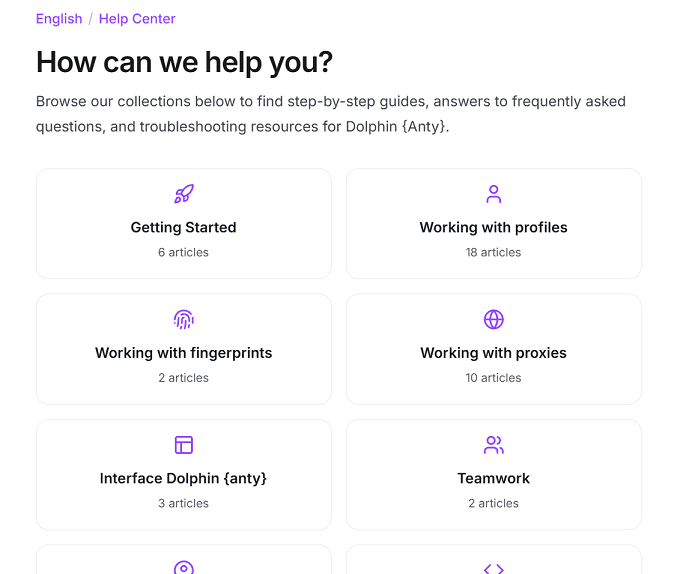
Dolphin Anty's Help Center organizes tutorials by profiles, fingerprints, proxies, teamwork, API, and FAQs, which can make setup and troubleshooting easier for users who are still learning the tool.
Octo Browser
Octo Browser is more suitable for users who already have some experience with multi-account work. It includes profile management features such as grouping, tags, profile cloning, and profile transfer, which can help teams organize account environments in a more structured way.
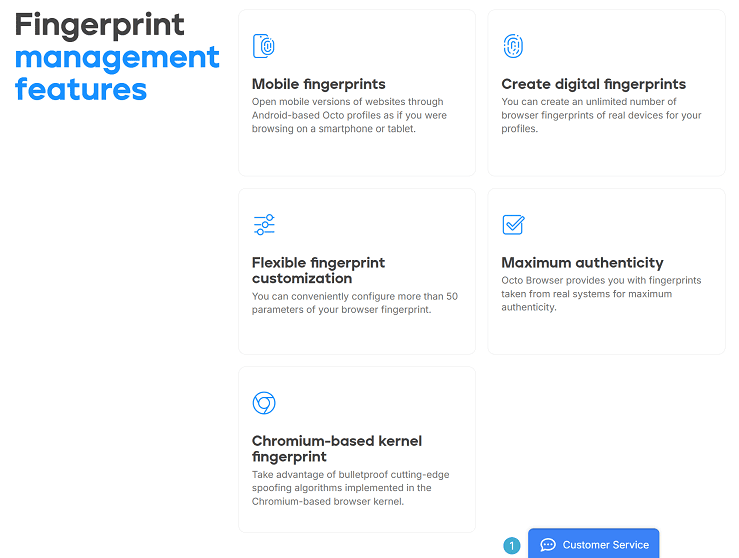
On the fingerprint side, Octo mentions real-device fingerprints, mobile fingerprints, and 50+ fingerprint parameters. These options may be useful for users who want more detailed profile settings, although they also mean the tool can feel less direct for beginners.
It also provides team workspace features, including role management and shared profiles, proxies, and cookies. Octo has a built-in proxy manager as well, so users can save and assign proxies inside the tool. Overall, it is more suitable for experienced teams than users who mainly want a quick setup.
Best Antidetect Browsers in 2026: Comparison Table
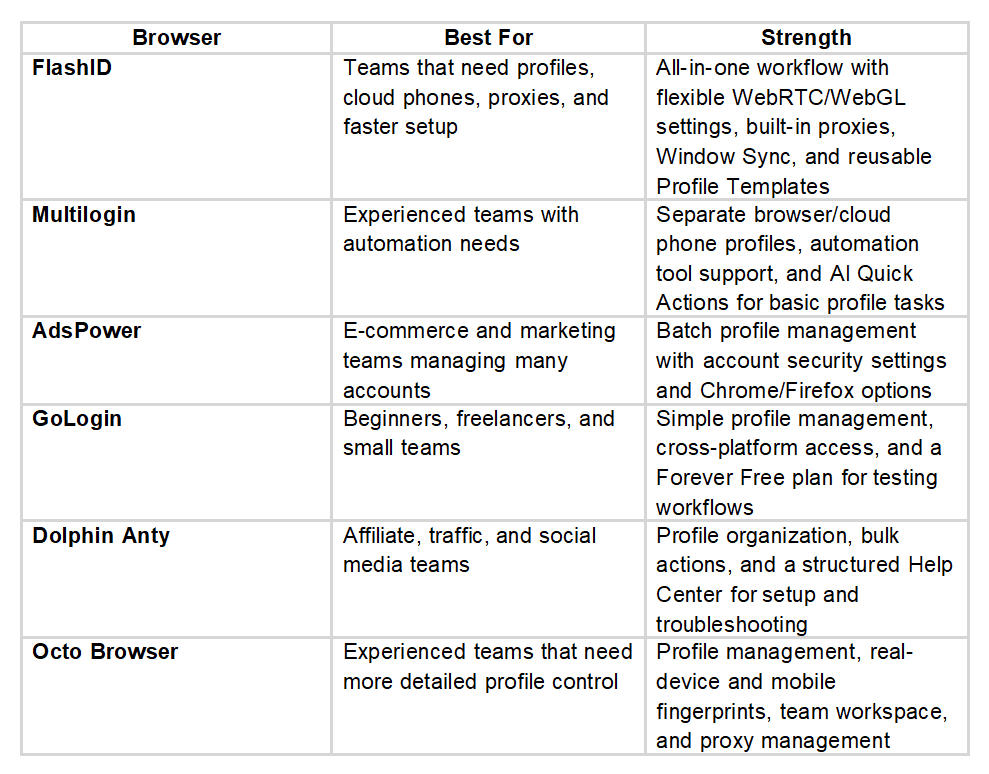
This comparison shows that each tool fits a different type of user. FlashID is the complete choice for teams that want browser profiles, cloud phones, proxies, and faster daily setup in one workflow. The other tools may fit specific needs such as automation, batch management, free testing, marketing workflows, or advanced profile control.
Common Mistakes When Choosing a Solution
● The first mistake is choosing only based on price.
A cheaper tool can become expensive if it wastes team time, creates unstable profiles, or does not support the workflow you actually need.
● The second mistake is ignoring proxies.
An browser can manage fingerprints, but proxy quality still matters. If the IP address, location, timezone, and account behavior do not match, the profile may still look suspicious.
● The third mistake is changing fingerprints too often.
Many users think more randomization means more safety, but stable accounts usually need stable environments. A profile should not look like a new device every time it logs in.
● The fourth mistake is assuminga such toolscan guarantee account safety.
No browser can promise that. Platforms also evaluate behavior, content, payment data, login patterns, and policy compliance.
FAQ
- What is the best antidetect browser in 2026?
FlashID is one of the best all-in-one tools for teams that need browser profiles, cloud phone support, proxy integration, workspace management, and automation-friendly features. However, the best choice depends on your workflow, team size, proxy setup, budget, and whether you need desktop-only or mobile-style environments. - Are that browsers legal?
Antidetect browsers are legal tools when used for legitimate purposes such as privacy protection, e-commerce operations, social media management, ad testing, QA, and account separation. They should not be used for fraud, spam, identity abuse, or activities that violate laws or platform rules. - Can an antidetects prevent all account bans?
No. This tools can reduce technical linking risks, but it cannot guarantee that an account will never be restricted. Platforms may also evaluate user behavior, payment signals, login history, content quality, and policy compliance. - Which tool is best for teams?
Team-focused buyers usually compare FlashID, Multilogin, AdsPower, Dolphin Anty, and Octo Browser differently based on workflow size and operational needs. - Which soft has built-in proxies?
Some browsers support built-in proxy workflows more directly than others. FlashID stands out here because it combines browser profile creation with built-in proxy purchasing and custom proxy support in the same workflow, which reduces setup friction for teams.
Conclusion
The best antidetect browser in 2026 depends on what kind of accounts you manage and how your team works. A beginner may care more about easy setup and a free plan, while an agency may need team permissions, proxy organization, and advanced fingerprint control. A marketing team may value batch profile management, while a technical team may look for API and automation support.
When choosing between these tools, look beyond brand name and price. Profile stability, proxy compatibility, automation, and team workflows matter more in daily use. Look at the full workflow instead. A reliable setup should keep profiles stable, match proxies with account environments, reduce repeated work, and give your team enough control without making daily operations harder than necessary.
If you’d like to stay updated with practical insights and industry trends, feel free to join Flash ID community.